
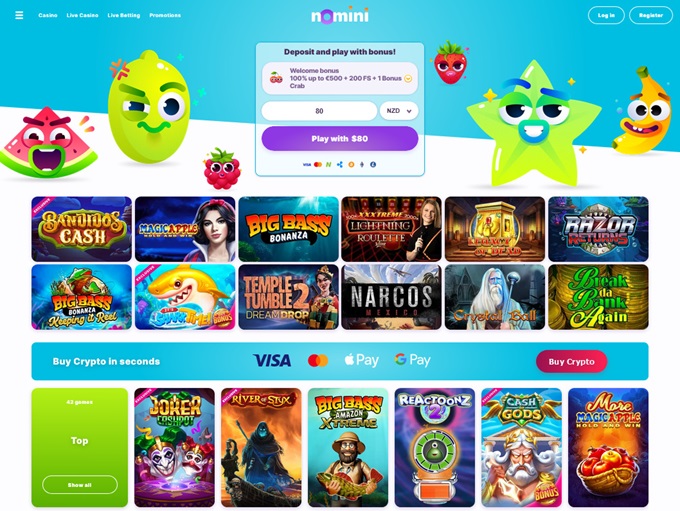
Users in Germany looking to access the full range of games and payment options at Seite prüfen need to first complete a quick account creation process before a verification step. The login page at nomini-casino.com/de-de/login/ serves as the gateway to all new and returning accounts, and understanding the precise sequence of actions avoids delays later. This guide outlines each stage in the sequence most players come across, from initial registration through identity checks, password recovery, and security settings. All steps are presented in the sequence that the platform’s own interface requires, so readers can follow along without wondering what comes next.
Signing In for the Very First Time After Verification
Once the account shows “Verified”, the player returns to nomini-casino.com/de-de/login/ and types in the registered email or username together with the password selected during registration. The system then sends a second SMS code to the mobile number on file; this code must be submitted within sixty seconds. After the code is validated, the player reaches the account dashboard and can move forward to the cashier. If the browser has been configured to remember the device, the SMS step is bypassed on future logins from the same browser, but any login from a new device or cleared cache triggers the code again. Players who prefer not to receive SMS codes can activate an authenticator app instead, which is detailed in the security section below.
Creating the Account Through the Login Page
The registration form is displayed when a visitor presses the “Join now” button on the login screen. The first screen requests an email address, a chosen username, and a password that must include at least one uppercase letter, one number, and one special character. After the password is confirmed, the form requires the player’s full name exactly as it appears on the identity document, date of birth, and current residential address including postcode. The final field is the mobile number, which receives a one-time SMS code that must be entered before the account is created. Once the code is accepted, the new account is put in a pending-verification status and the player is redirected to the verification centre. No deposit is possible until the status switches to verified, so completing the next step immediately conserves time.
File Upload and Format Rules
Inside the verification centre the player must upload a clear colour scan or photograph of an official photo ID and a recent proof-of-address document. The ID can be a German Personalausweis, Reisepass, or EU national identity card; both sides must be displayed and all text legible. vollständige Bewertung The proof-of-address document can be a bank statement, utility bill, or official letter from a German authority dated within the last three months. Each file must be under 5 MB and saved as JPG, PNG, or PDF. The upload screen shows a live preview, so players can reject a blurry image before submission. After both documents are accepted, the status changes to “Under review” and an email confirms that the compliance team has received the files.
Standard Review Times and Status Messages
Most German accounts get an approval or request-for-more-information email within four to twenty-four hours on weekdays. If the documents are submitted on a Friday evening or during a German public holiday, the first response may come on the next working day. The status messages displayed on the account dashboard are “Pending”, “Under review”, “Additional documents required”, and “Verified”. When the message states “Additional documents required”, the player receives a second email listing the exact missing item, such as a clearer scan of the address page or a Meldebescheinigung. Responding to that email with the new file usually finishes verification within another working day.
Eligibility Requirements Before You Register
Residents of Germany must meet the required age of 18 and present an location that aligns with an government-issued ID issued inside the Federal Republic. Nomini Casino cross-checks the postcode and town against the document to confirm residency, so employing a international address stops the validation stage although the member is actually in Germany. Members who hold only a limited residence permit need to upload both the permit and a recent Meldebescheinigung, because the system’s regulatory system flags any mismatch between the official address and the document. European Union citizens staying in Germany can use their national identity card, while third-country nationals must provide a current passport. The system does not recognize student cards, driver’s licenses that have no address page, or lapsed documents, so confirming the expiration date before submission prevents a repeat submission.
Resetting a Lost Password or Suspended Account
The login page features a “Forgot password?” link that displays a form requesting for the registered email address. After submission, the system transmits a reset link that is valid for two hours. Clicking the link opens a page where the player must set a new password meeting the same complexity rules used at registration. If the player no longer has access to the original email, support must be reached through the live-chat window on the login page; the agent will request the username and the last four digits of the registered mobile number before issuing a manual reset. Accounts that have been frozen after multiple failed login attempts are automatically unlocked after thirty minutes, but the player can also request an immediate unlock by confirming identity through the same chat channel.
Two-Factor Authentication Setup
Inside the account settings menu the player can activate two-factor authentication using either SMS or an authenticator app such as Google Authenticator or Authy. The app option creates a six-digit code that refreshes every thirty seconds and does not depend on mobile network coverage. During setup the player captures a QR code displayed on screen and then enters the first generated code to verify the pairing. Once activated, every login from any device needs the current code, lowering the risk of unauthorised access even if the password is compromised. Disabling two-factor authentication later demands the current code plus a confirmation email sent to the registered address, so the feature cannot be disabled by an intruder who has only the password.
Device Management and Session Controls
The same settings page lists every device that has logged into the account in the last thirty days, together with the approximate location and browser type. A player who notices an unfamiliar entry can terminate that session immediately and update the password from the same screen. The platform also offers an optional “Logout all other sessions” button that terminates every active login except the current browser, which is useful after using a shared computer or after a password reset. These controls show up only after two-factor authentication has been enabled, because the platform treats the feature as a prerequisite for advanced account management.
Safety Protocols That Shield German Players
Nomini Casino holds all personal data on servers situated within the European Economic Area and secures traffic with TLS 1.3. Withdrawals above a certain threshold trigger an additional manual review that contains a fresh identity check, so large sums cannot moved without the account holder’s active participation. The platform also runs automated monitoring for unusual login patterns, such as attempts from multiple countries within a short time, and temporarily suspends the account until the player validates the activity through email or chat. These measures are enforced uniformly to every German account and do not hinge on the size of the balance or the games played.
Frequent Verification Issues and Their Fixes
One typical cause of delay is a discrepancy between the name on the identity document and the name entered during registration. German compound surnames or the use of a middle name on one document but not the other triggers an automatic flag. The player can adjust the registered name only by contacting support with both documents; the compliance team then modifies the profile and restarts the review timer. Another common issue occurs when the proof-of-address document shows an old address. In that case the player must upload a current Meldebescheinigung or a bank statement that lists the address on file. If the document is older than three months, the system declines it automatically and the player receives an email listing the exact requirement.